Posts Tagged ‘plantin schoolbook cricut cartridge’
Making a Handmade Birthday Card with the Paisley Cricut Cartridge
I hope that everyone is having a great week so far. I just finished making my brother in law a handmade birthday card using my Cricut Expression machine with the new Paisley Cricut cartridge, Plantin Schoolbook Cricut cartridge, and also the Mini Monograms Cricut cartridge. It came out so great that I just had to share it with you.
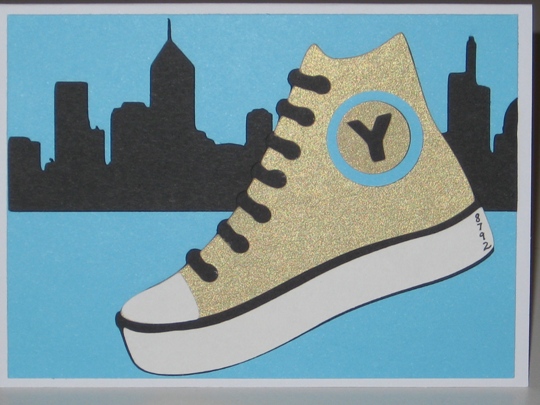
My brother-in-law just ran in the New York City half marathon, so I wanted the theme of his handmade birthday card to be running.
I used the Plantin Schoolbook cartridge for the background of the city, and the Paisley Cricut cartridge for the sneaker. The metal that he received was gold and had a Y cut out looking like a subway token. So I used the Mini Monograms Cricut cartridge to cut out the Y.
I had so much fun making this handmade birthday card, and I know that Harry will like it too!
Make it a Great Day and don’t forget to leave time to Craft!
Tags: cricut expression machine, handmade birthday card, handmade greeting card, mini monograms cricut cartridge, paisley cricut cartridge, plantin schoolbook cricut cartridge
What Can You Make Using The Plantin Schoolbook Cricut Cartridge, A Cricut Expression Cutting Machine And The New Cricut Gypsy?
The answer is a really cool birthday card.
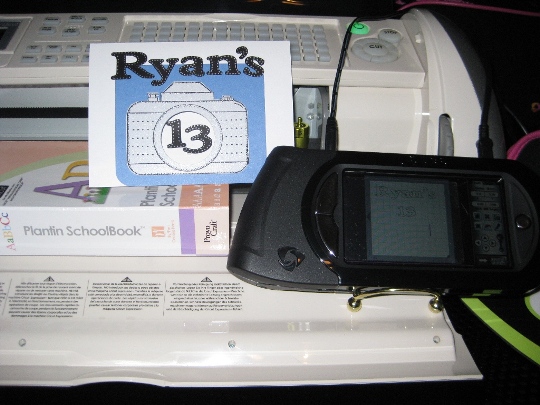
The Plantin Schoolbook Cricut cartridge is what I used to make a birthday card for my nephew Ryan who is turning 13. I had to make something “cool” and not cute since he is now a teenager. His parents (my sister) got him a digital camera and I wanted to keep that theme for his card. So I looked at all my cricut cartridges and wouldn’t you know it, I didn’t have any of the cartridges that have an image of a camera. Guess I need to make another wish list.
So I looked though all of my rubber stamps and if you have followed my blog, you know that I have stamps. And I was in luck. I have a stamp of a camera from a company called scrapbookin’ stamps that is no longer in business.
So I stamped the camera on silver paper (his camera is silver) and used black pigment ink and clear embossing powder to set the ink.
Then I used a circle paper punch and I was in luck, it was the correct size to punch the lens out of the camera. I also punched a circle in the blue paper that I mounted the camera onto, and also the white card cover. I rounded the corners of the blue paper so they matched the rounded edges of the camera.
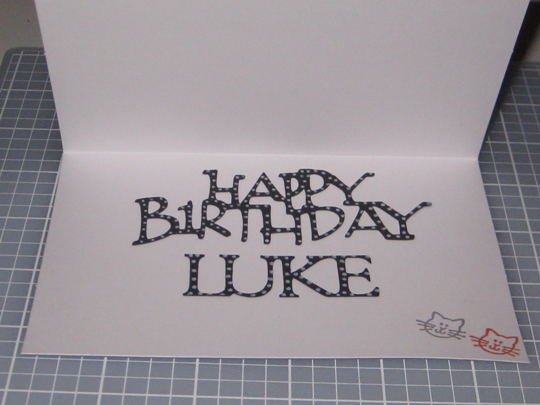
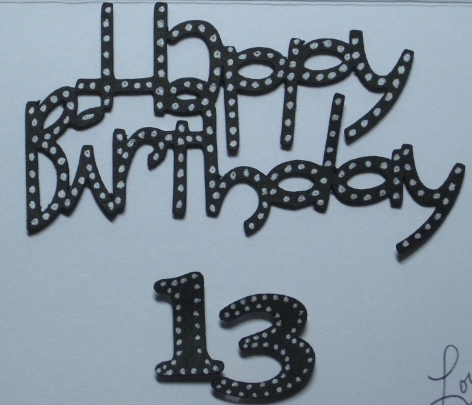
I then took out my Cricut Gypsy and looked though the cartridges and chose the Plantin Schoolbook cricut cartridge to cut out the letters and numbers for this card. I really like the Roly Poly feature for this. I used my Cricut Expression cutting machine to cut these out. After I cut out Ryan’s name and the numbers 13, I wanted to add just a little “bling” to them so I used a silver gelly pen and outlined them with dots. I think it turned out pretty cool.
Did I forget to tell you how much I love my new Cricut Gypsy!
I used my permanent adhesive glue glider to put Ryan’s name down then I used dimensional adhesive dots for the 13 because I wanted it to pop out of the camera. Remember, I cut the hole so that when he opens the card the 13 will be in the inside of the card also.
Wishing Ryan a Fantastic 13th Birthday ~ Wish we could be there to celebrate!
Make it a Great Day and don’t forget to leave time to Craft!
Tags: cricut expression cutting machine, cricut gypsy, plantin schoolbook cricut cartridge